VS-Shop
How to Use the VS-Shop Deployer Page
The Vanya’s Script Shop Deployer is designed to be simple and easy to use.
To use the VS-Shop Script Deployer, fill out the form by entering your Panel URL, Server UUID, Client API Key, and Target Directory, then select the script you want to deploy. Once all fields are completed, you can proceed with the deployment.
1) Panel:
https://panel.anthony-morales.online/
2) Server UUID:
b8b35198-34cd-4bb7-94cf-434de5d95d3e
3) Client API Key:
ptlc_5xF5jBGZN5I54zd7KbmhumE1v5ojvJijsTIAp4ua8PQ
4) Directory: Optional.
5) Scriot: Choose one.
Login:
Panel URL:
https://panel.anthony-morales.online/
Username / Email:
VSS_User / user@anthony-morales.online
Password:
!!VS-Shop_Access!!
1) Panel:
https://panel.anthony-morales.online/
2) Server UUID:
b8b35198-34cd-4bb7-94cf-434de5d95d3e
3) Client API Key:
ptlc_5xF5jBGZN5I54zd7KbmhumE1v5ojvJijsTIAp4ua8PQ
4) Directory: Optional.
5) Scriot: Choose one.
Login:
Panel URL:
https://panel.anthony-morales.online/
Username / Email:
VSS_User / user@anthony-morales.online
Password:
!!VS-Shop_Access!!
Steps
Step 1.
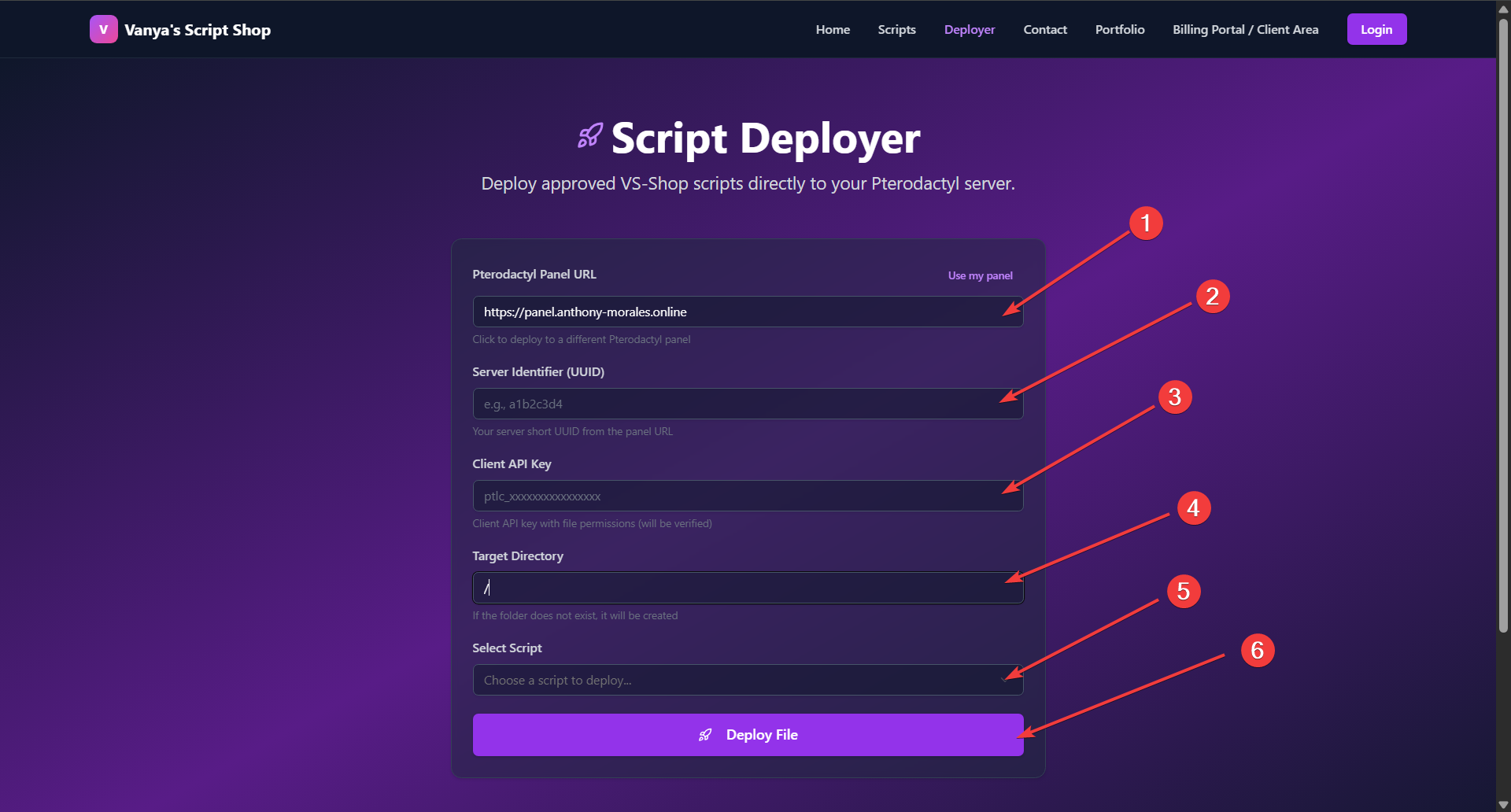
In just 5 easy steps!
The form:
Updated: 2026-03-18 05:20:35